
Use Mozilla Thunderbird backup Workspace Email.
Install Thunderbird App – https://www.thunderbird.net.
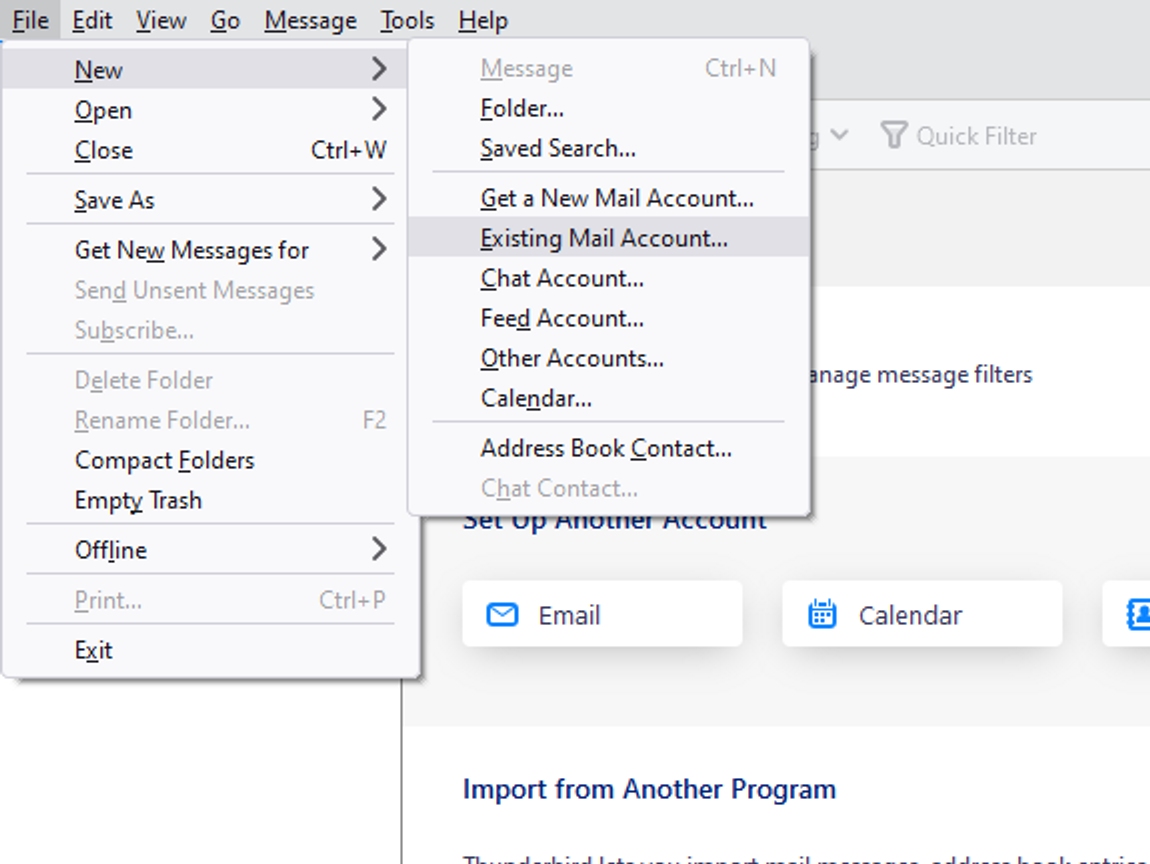
Press “Alt” Key, click File > New > Existing Mail Account.
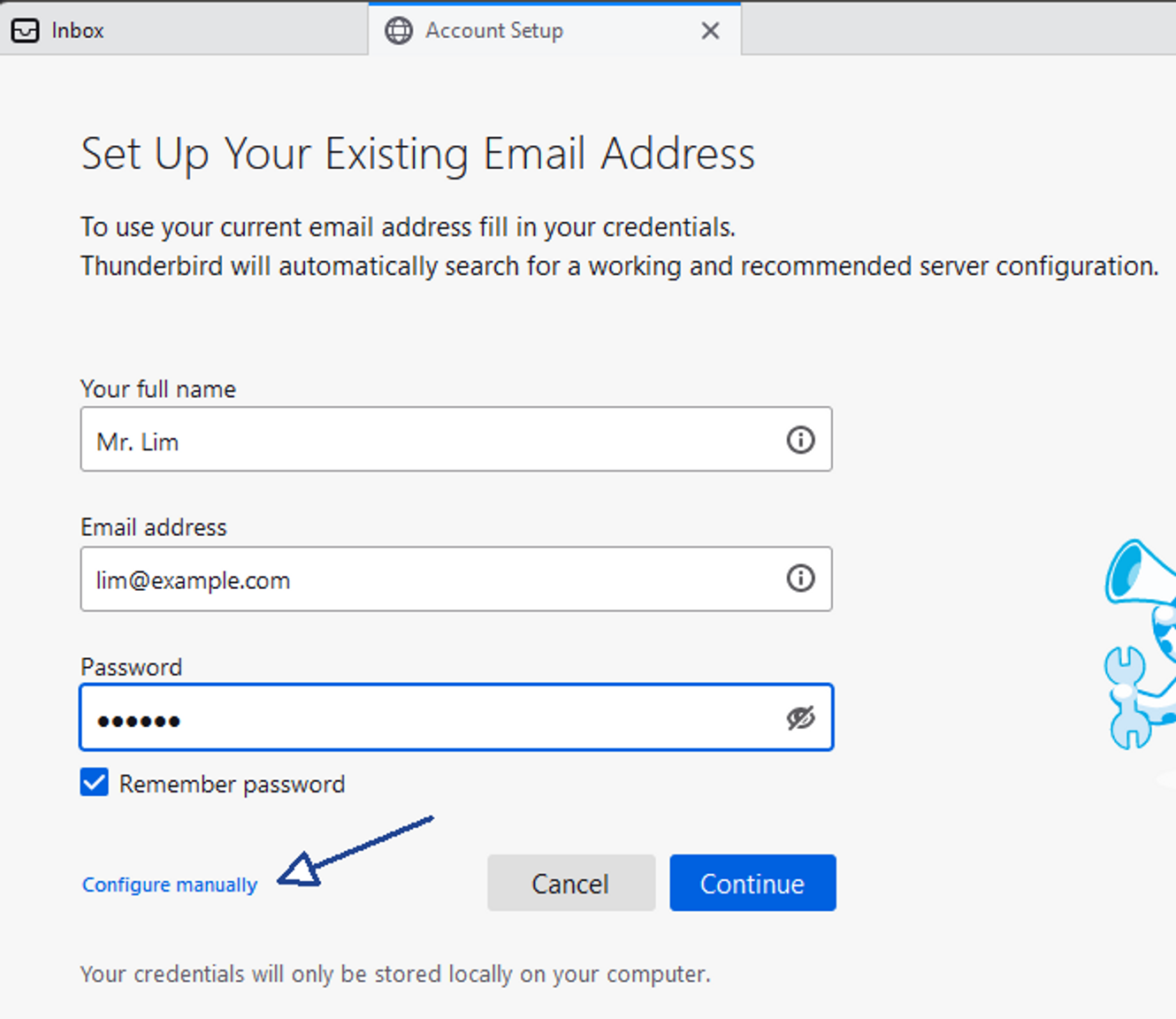
Fill in the name, email , password then click Configure Manually
Host Name: imap.asia.secureserver.net
Port: 993
Connection Security: SSL/TLS
Host Name: smtpout.asia.secureserver.net
Port: 465
Connection Security: SSL/TLS
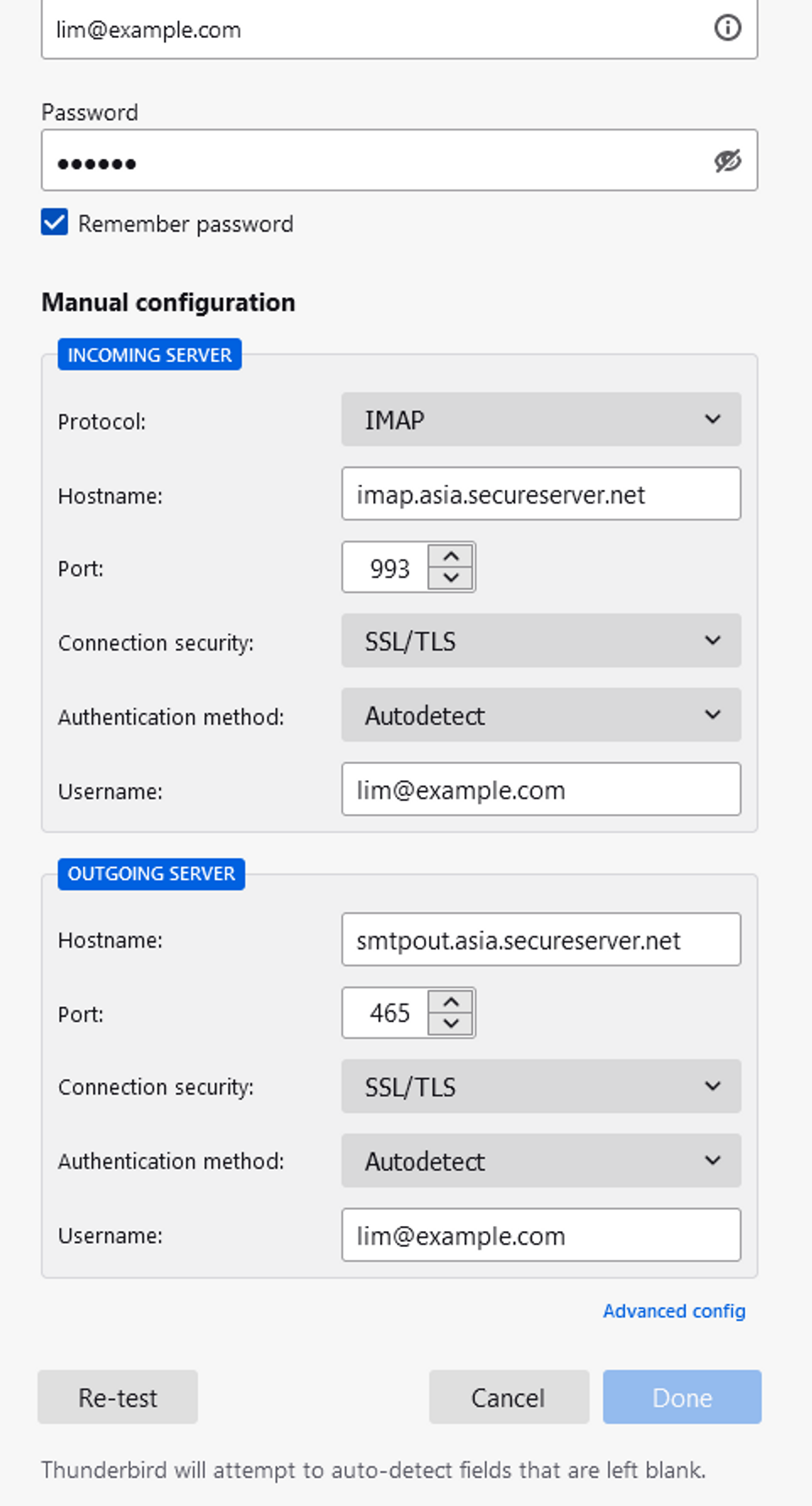
Then click [Re-test] button
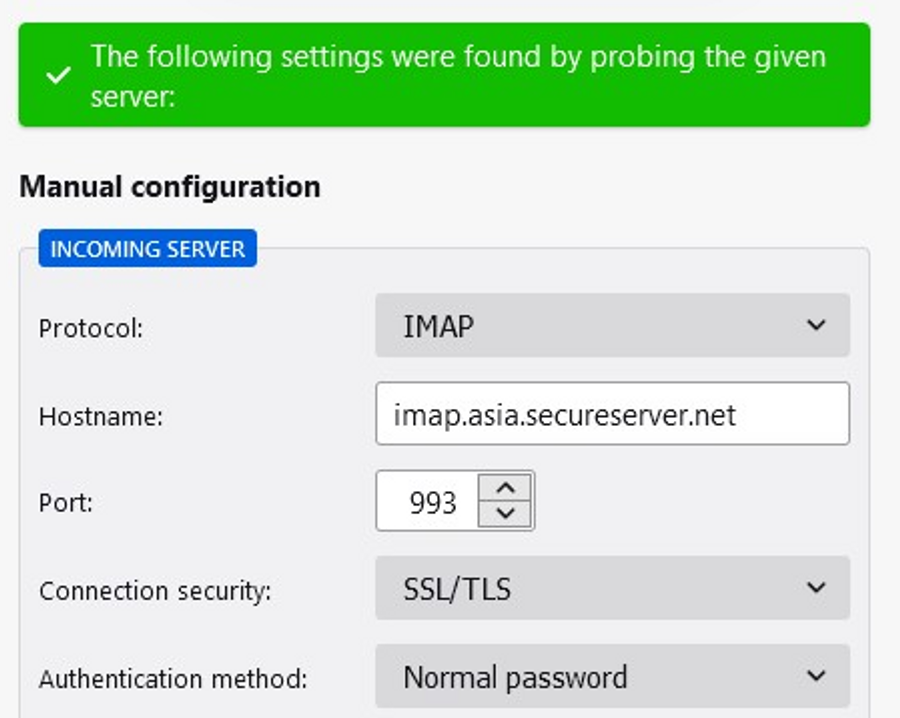
and click [Done] Button
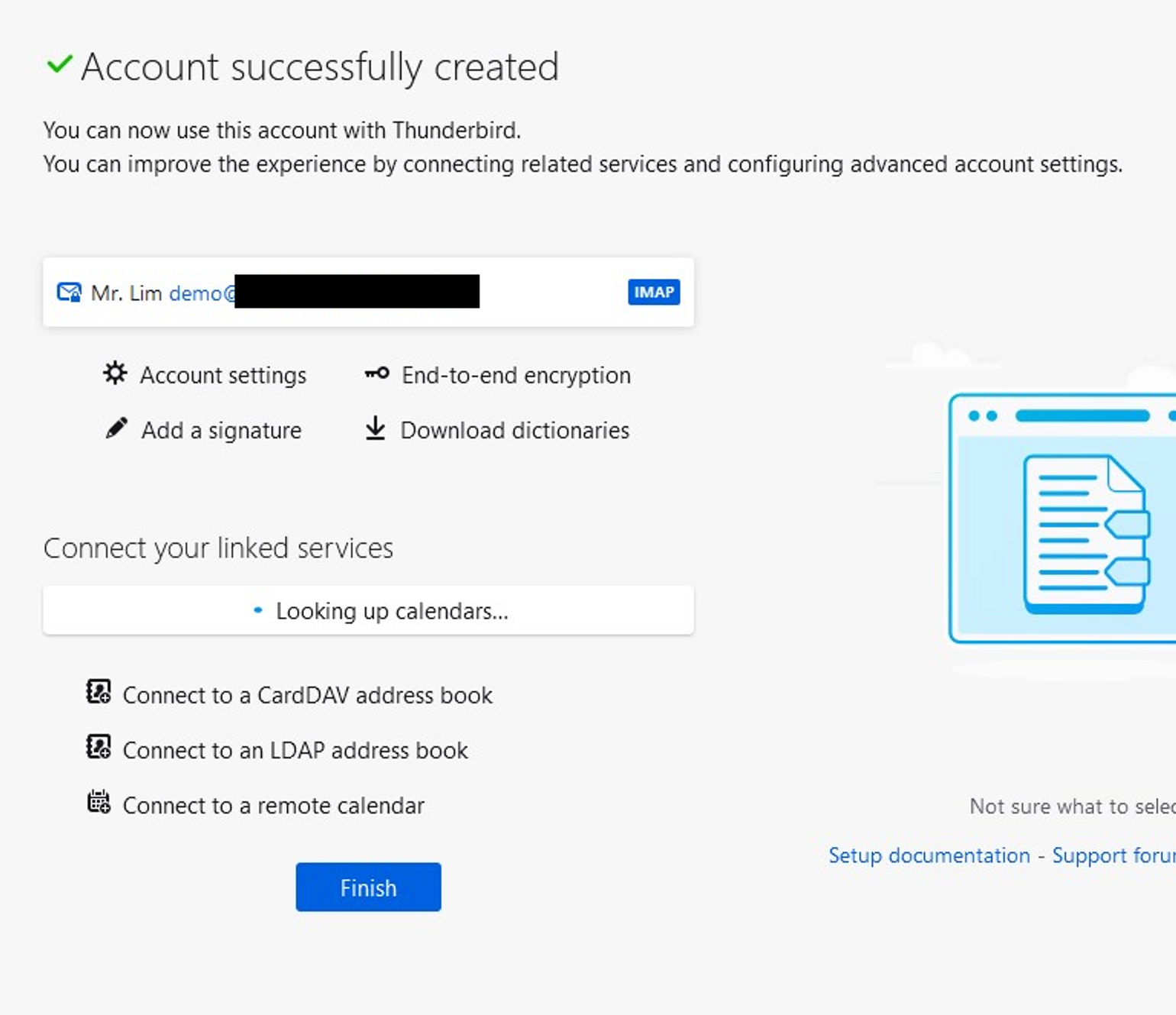
Click [Finish] Button
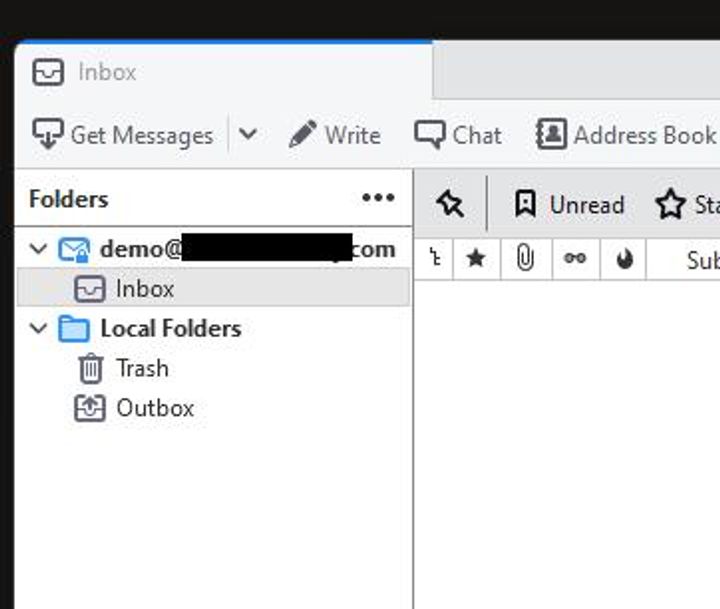
Click Get Messages start download old message for backup purpose.