How to Add an Email Signature in Roundcube Webmail
Creating an Email Signature in RoundCube
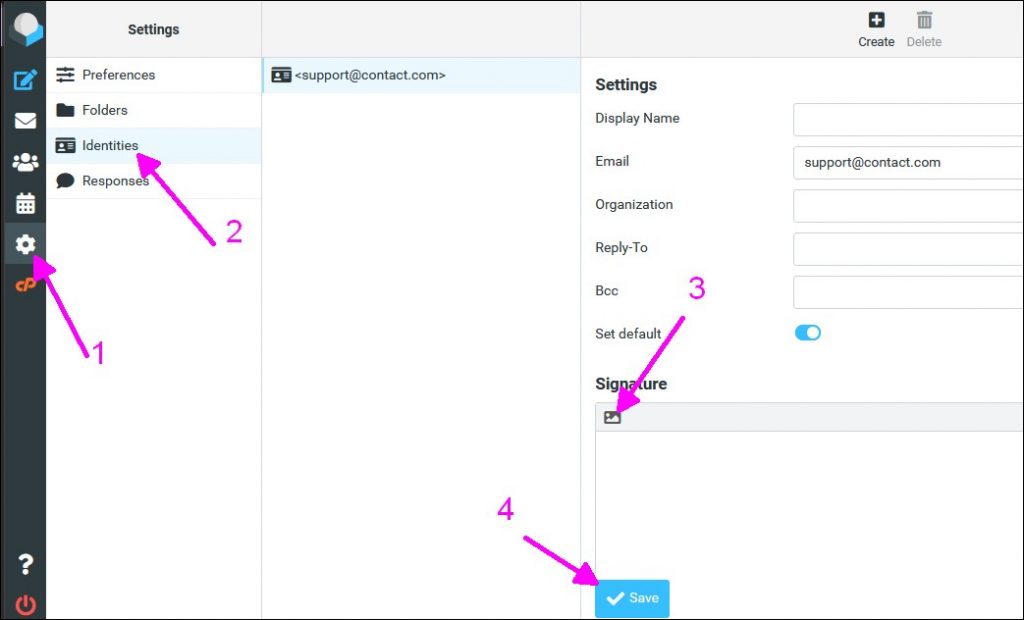
Step 1 – Log into your RoundCube Webmail https://webmail.yourdomain.com, At the bottom left, click the Settings button.
Step 2 – On the settings section, click Identities, and then from the middle, select your identity.
Step 3 – At the signature textbox, make sure the HTML signature checkbox is ticked and then type in your signature.
Step 4 – Click Save Button